

Most digital products do not lose users because they lack features. They lose users because people feel confused, unsure, or disconnected at key moments. A slow form response, unclear feedback, or a static screen can quietly break trust and push users away. This is where Motion UI and micro-interactions play a critical role in mobile app development.
They are no longer just design enhancements. When implemented correctly, motion and interaction feedback actively guide users, reduce friction, and increase conversions. From onboarding flows to checkout experiences, small movements now influence big business outcomes.
For startups, SaaS founders, CTOs, enterprise teams, and indie developers, Motion UI has become a conversion and product performance strategy, not a visual trend.
But,
Why Motion UI and Micro-Interactions Matter for Conversions?
Every digital product aims to move users toward action. That action could be signing up, completing onboarding, submitting a lead form, or finishing a payment.
Static interfaces force users to think. Motion-driven interfaces guide users naturally.
Motion UI helps users understand system behavior. Micro-interactions confirm actions in real time. Together, they reduce uncertainty, which directly improves conversion rates.
Products that use intentional motion often see:
- Higher onboarding completion rates
- Lower bounce rates on key pages
- Fewer form errors
- Better engagement across web and mobile apps
These improvements come from clarity, not complexity.
Motion UI and Micro-Interactions in Product Development: Quick Overview!
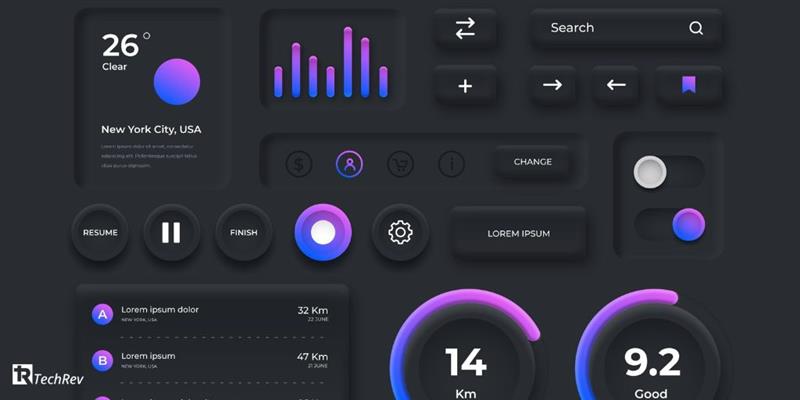
Motion UI refers to purposeful animations that support user flow. These include screen transitions, element reveals, progress indicators, and navigation feedback. Motion UI answers one question clearly. What should the user do next?
Micro-interactions respond to user input. Button feedback, loading indicators, success confirmations, and error hints fall into this category. They reassure users that the system is responding.
In modern frontend app development, both elements work together to improve usability, trust, and speed of decision-making.
But,
How Motion UI Increases Conversion Rates in Real Products?
Motion improves conversions because it reduces hesitation.
During onboarding, progress animations encourage users to finish setup. In SaaS dashboards, subtle transitions help users understand state changes. In checkout flows, smooth loading and confirmation feedback reduce drop-offs.
These improvements may seem small, but they influence user behavior at scale. Companies often see conversion growth not by redesigning features, but by improving how users experience each step.
This is why best UI/UX designers and interaction design now sit close to growth and product teams.
How to Implement Motion UI? Key Steps to Follow!
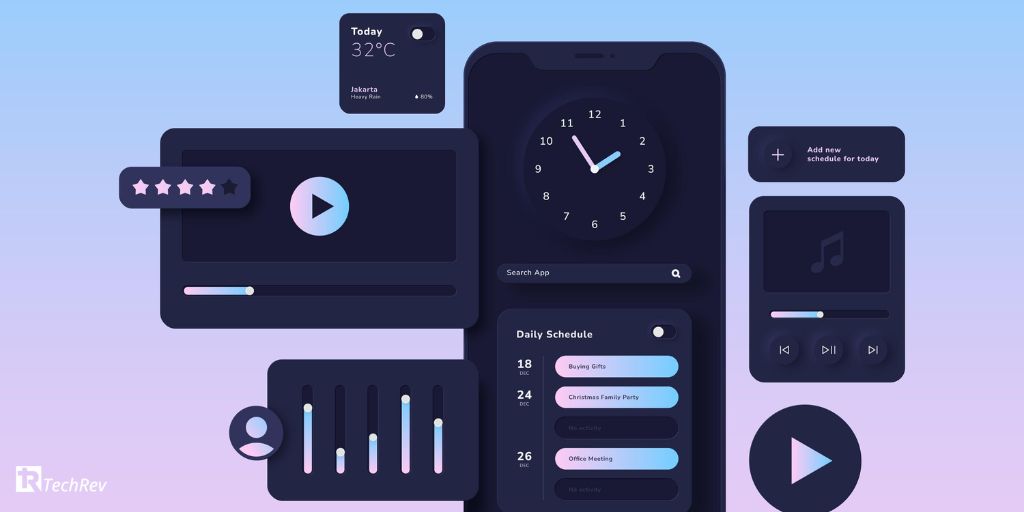
The following are the steps you need to follow:
#1. Define Conversion Goals
Start with clarity. Each screen must have a single primary goal. Motion should support that goal, not distract from it.
#2. Map User Interactions
Identify moments where users hesitate. These moments usually include form submissions, loading states, transitions, and errors. These areas benefit the most from micro-interactions.
#3. Design Motion with Performance in Mind
Motion should feel smooth without affecting load time. Best Cross-platforms app development frameworks like React, Flutter, and modern JavaScript animation libraries help achieve this balance.
#4. Implement Using Scalable Architecture
Motion systems must remain consistent across the product. This requires component-based UI development and reusable interaction patterns.
#5. Test and Optimize
Teams should measure user behavior before and after motion changes. A/B testing helps validate whether motion improves conversion or engagement.
Also Read – Balancing UI in Hybrid Apps for a Seamless Experience: Top Strategies You Need To Know!
How Much Does it Cost to Implement Motion UI and Micro-Interactions?

The cost of implementing Motion UI depends on the product stage and scope.
Basic interaction improvements may require minimal investment. Advanced motion systems integrated across web and mobile apps require more planning and engineering effort.
Key cost factors include:
- UX research and interaction planning
- Frontend development and optimization
- Cross-platform testing
- Accessibility compliance
Despite the cost, companies often see strong ROI because motion improves conversion without increasing acquisition spend.
Also Read – 10 Reasons for Effective UI/UX Design in Hybrid Mobile App Development
Why TechRev Is the Right Partner for Motion-Driven Product Development?
At TechRev, we approach motion as part of product engineering, not decoration.
As a global AI app development company, we build high-performance web and mobile applications where Motion UI supports usability, engagement, and conversions.
Our teams combine:
- UX strategy and interaction design
- Frontend development using modern frameworks
- Performance-focused implementation
- Scalable architecture for long-term growth
Whether you are a startup building an MVP or an enterprise optimizing conversion funnels, TechRev delivers motion-driven experiences that perform in real business environments.
Conclusion
High-converting products do not rely on visuals alone. They rely on interaction, feedback, and flow.
If your app feels static or struggles with engagement and conversions, Motion UI may be the missing layer.
Talk to TechRev today and build motion-driven digital experiences that convert users into customers.
FAQs
1. Do Motion UI and micro-interactions really improve conversions?
Yes. When implemented correctly, they reduce friction and guide users toward action.
2. Are Motion UI features expensive to build?
Costs vary, but many motion improvements deliver strong ROI even with modest investment.
3. Can Motion UI slow down my app?
Only if implemented poorly. Experienced development teams optimize motion for performance.
4. Is Motion UI useful for SaaS platforms?
Absolutely. SaaS products rely heavily on clarity, feedback, and user confidence.
5. Should startups use Motion UI early?
Yes. Early adoption helps products feel polished and easier to use.
6. How does Motion UI affect accessibility?
Good implementations respect accessibility standards and user preferences.
7. Does TechRev provide both design and development?
Yes. TechRev offers end-to-end app development services with a strong focus on UX and performance.
Also Read – 5 Common Mistakes to Avoid in Making a Mockups